

History: Every Conversation
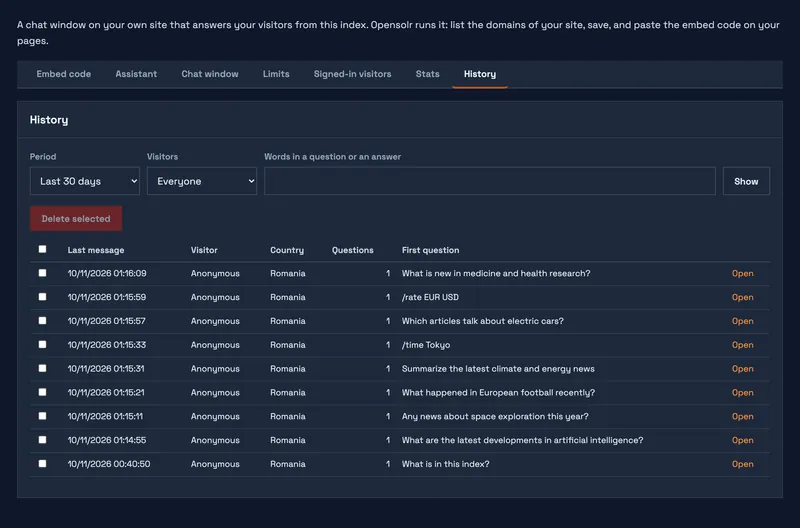
The History section lists the conversations of the last 30 days.
- Click Filters to narrow them by period, by signed-in or anonymous visitors and by words; the button is highlighted while the list is filtered.
- Click a conversation to read it as the visitor read it. Close closes it.
- Check conversations and Delete selected appears: click it, then once more to confirm, to delete them.
Chat Bot pages
- Chat Bot overview
- Three ways to have your chat bot
- What the chat bot needs
- Put the chat on your site
- Show it on your search page and site
- Assistant: instructions and time zone
- Chat window: look and words
- Limits
- Signed-in visitors
- Stats
- History
- What your visitors see
- Commands
- What it can look up
- What it uses from your plan