

Your index can talk to your visitors.
Every Opensolr Index with site search comes with its own chat bot. It answers your visitors from your own pages, products and documents, with a link to everything it mentions, in their own language. Opensolr runs it: you paste one line on your site, or switch it on for your hosted search page.
- 01
Fill your index
Let Opensolr crawl your site, or push your own records with Data Ingestion.
- 02
Open Chat Bot
In the Control Panel of your index, right under WebCrawler.
- 03
Put it on your site
List your domains, save, paste the line. Or flip one switch for your hosted search page.
Answers from your site, not from the internet.
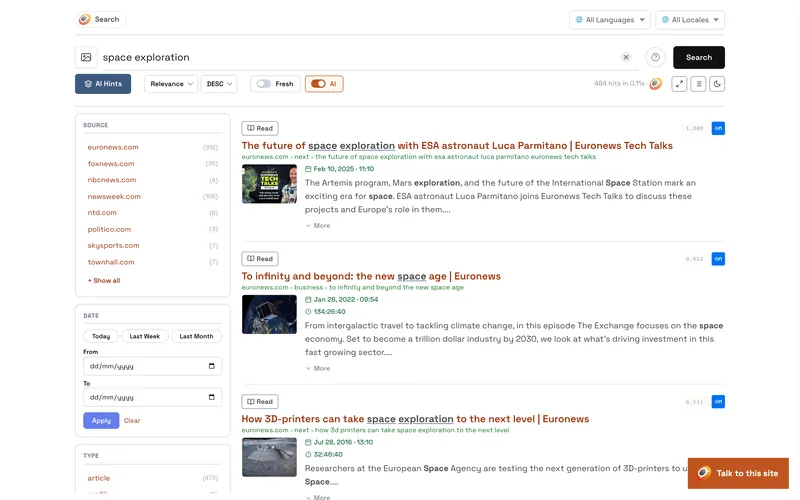
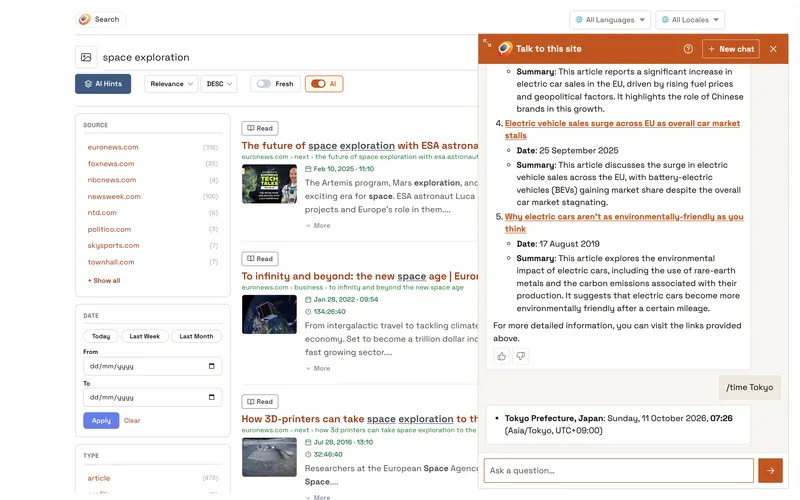
The chat searches your Opensolr Index, reads what it finds and answers from it. If your index does not have it, the chat says so. Everything a visitor sees: What your visitors see.
Every source linked
Each page, product and PDF page it used is linked, so visitors land on your content.
Their own language
Visitors ask in their language and get the answer in it, whatever the language of your pages.
Written as it comes
The answer appears word by word; until then, one line says what the chat is doing.
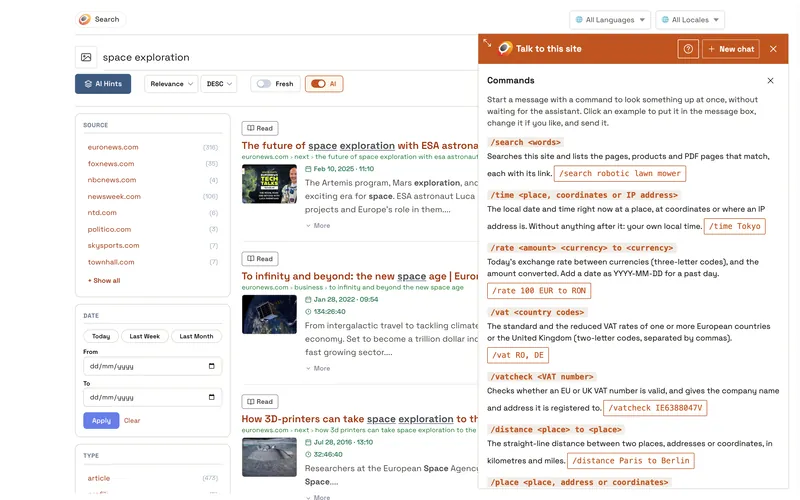
12 commands, at once
Local time, exchange rates, VAT, distances, places, postal codes and more. Every command
A conversation, kept
Follow-up questions keep the context and what was found, across page reloads, until the visitor clicks New chat: sort them by price, or go back to the first list.
Rated by your visitors
Every answer can be rated; you see the ratings and the links people opened. Stats
One section in your Control Panel.
Open your index, then Chat Bot, right under WebCrawler. Seven tabs; each one has its own page in the documentation.
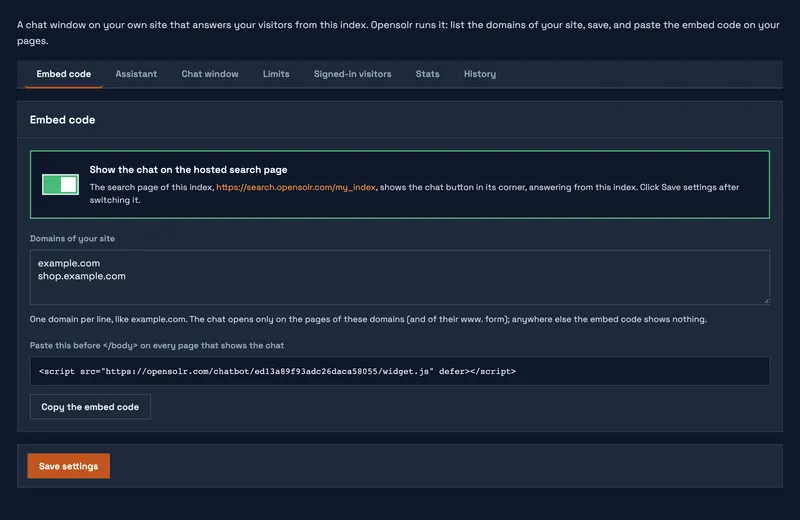
Embed code
The line to paste, the domains it works on, and the switch for your hosted search page. Put the chat on your site · On your search page
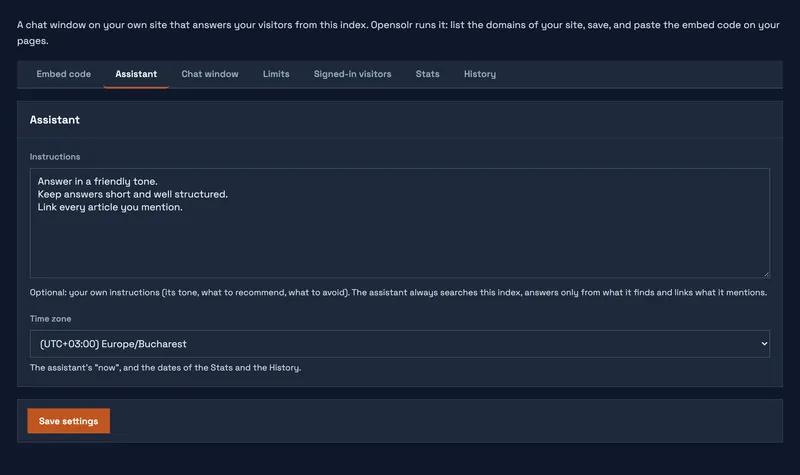
Assistant
Your instructions for the assistant, and the time zone of its "now". Assistant
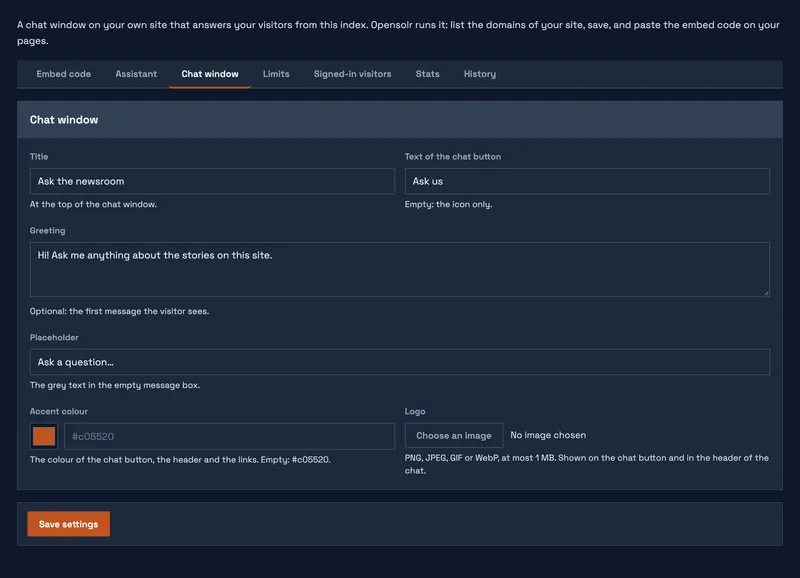
Chat window
Title, button text, greeting, placeholder, accent colour and your logo. Chat window
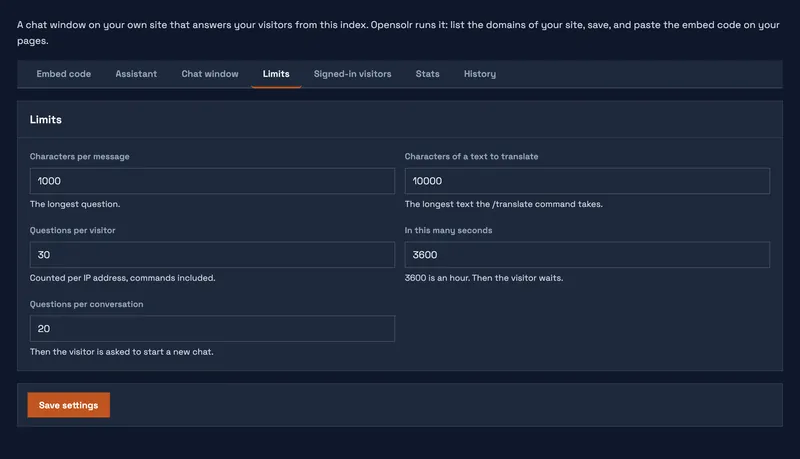
Limits
Characters per message, questions per conversation and per visitor. Limits
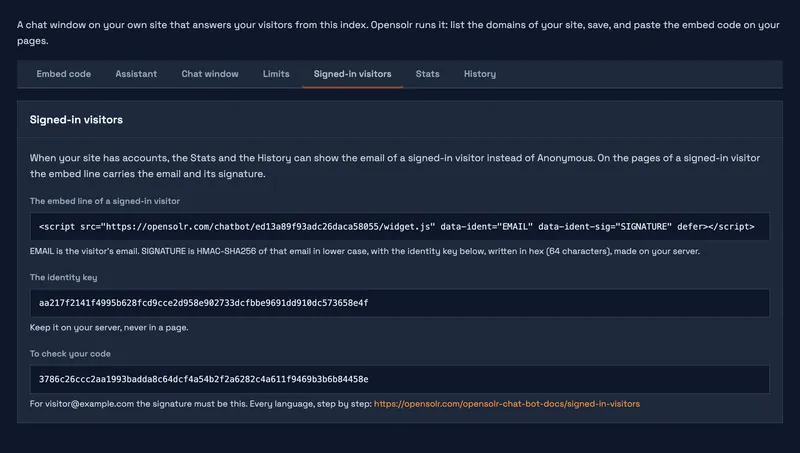
Signed-in visitors
Your pages tell the chat who is signed in, so stats and history show their email. Signed-in visitors
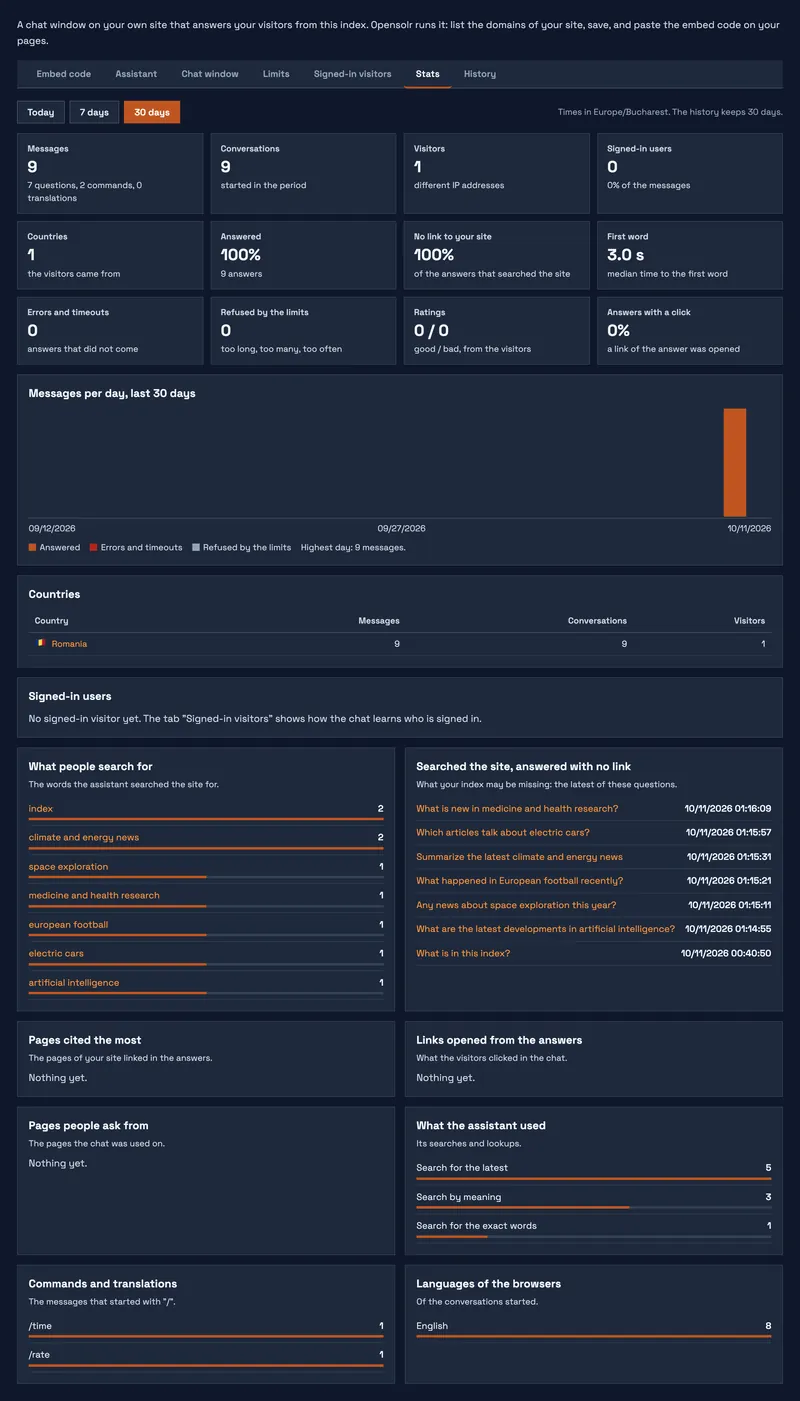
Stats
Messages, visitors, countries, answer rates, ratings, what people search for and what your index is missing. Stats
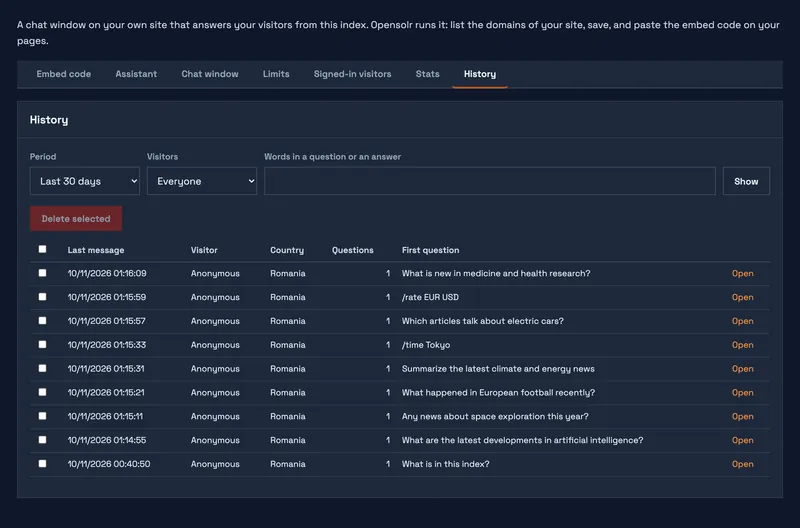
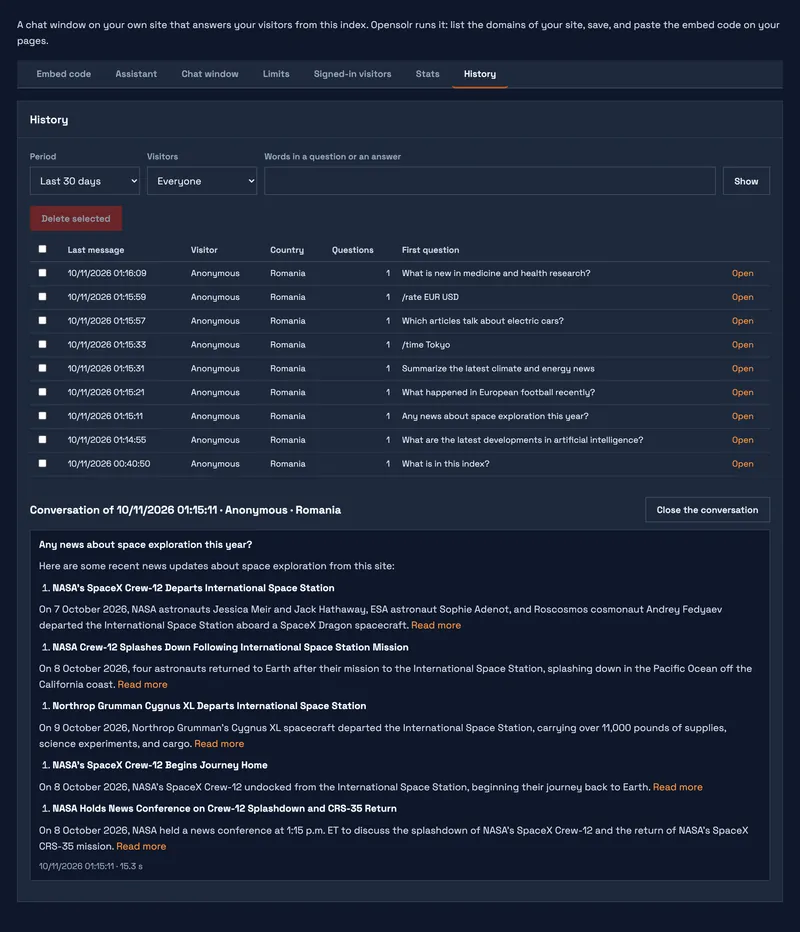
History
Every conversation of the last 30 days, searchable, readable as the visitor saw it. History
The chat, and its section in your Control Panel.
Click a screenshot to see it full size.
From an index to a chat on your site.
- Have an Opensolr Index in a region with site searchYour index has a WebCrawler tab in its Control Panel. What your index needs
- Fill it with your contentCrawl your site, or push your records with Data Ingestion. Both fill the index with the Opensolr schema, which is what the chat reads.
- Open Chat BotIn the Control Panel of your index, right under WebCrawler.
- List your domains and saveOn the Embed code tab, one domain per line, like
example.com. - Paste the line before </body>On every page that should show the chat:<script src="https://opensolr.com/chatbot/YOUR_CHAT_ID/widget.js" defer></script>Your Control Panel shows the line with your own chat in it.
- Or switch it on for your hosted search pageOne switch on the same tab, and your search page shows the chat in its corner.
| You need | Why |
|---|---|
| An index in a region with site search | The Chat Bot comes with these indexes; their Control Panel has the WebCrawler tab. |
| AI requests | The chat writes its answers with AI requests from the monthly allowance of your plan. If the plan of the index does not include AI, the Chat Bot section tells you so. |
| The Opensolr schema | Crawling and Data Ingestion use it. An index with a schema of your own still opens the Chat Bot, with a warning that it may not answer well. |
All of it in one page: What the chat bot needs.
Let your visitors talk to your index.
It is already there, in the Control Panel of every index with site search. Fill your index, open Chat Bot, paste one line. How the index gets filled and what else it does: Enterprise Site Search. No account yet? Create one.