

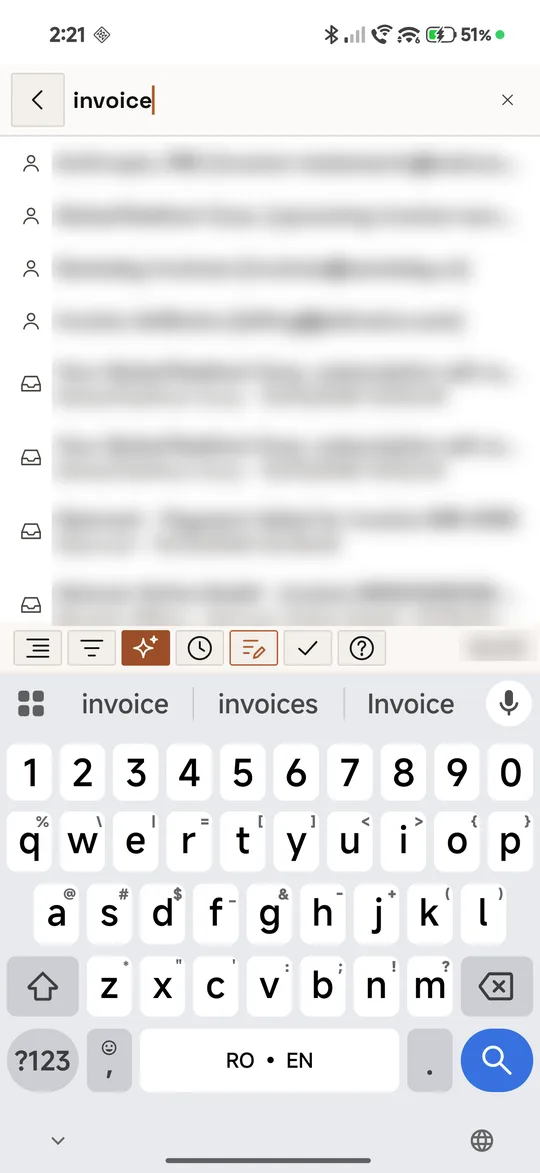
Start typing in Search and the people and conversations that fit show up under the box, before you search.
Search with the Opensolr Index only.
Suggestions come from your own Opensolr Index, so they show when Settings → Preferences → Search is set to Opensolr. The Fastmail search has none. See Searching.
01 · When they show
After 2 characters and a short pause in your typing, the suggestions appear under the search box. They stay until you search or leave the box.
02 · What they suggest
- People, up to 4: senders and recipients whose name or address contains what you typed, in any case, the ones with the most mail first. A tap searches their name.
- Conversations, up to 6: those in which every word you typed starts a word of the subject, of the people, or of an attachment’s name, newest first. A tap opens the conversation.
Only the mail of the accounts on this phone is suggested.
Search pages
- Searching
- Switches, operators, dates
- Suggestions as you type
- The AI answer
- Filters and groups
- Every result at once
- Text inside attachments