Talk to Your Site
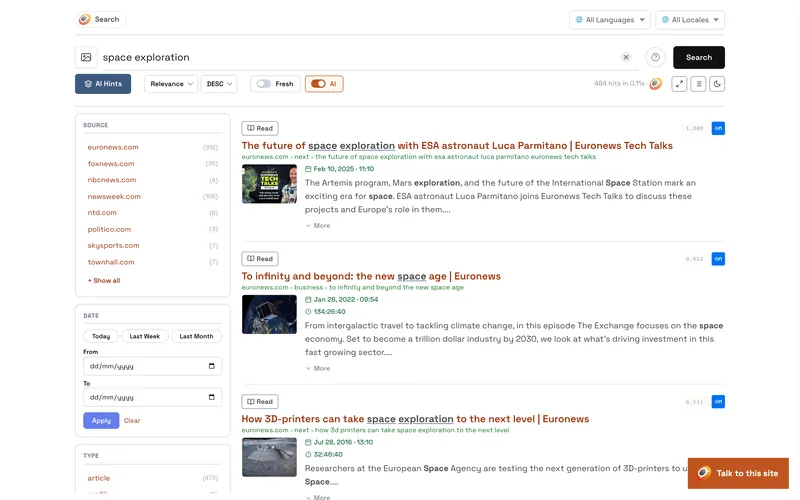
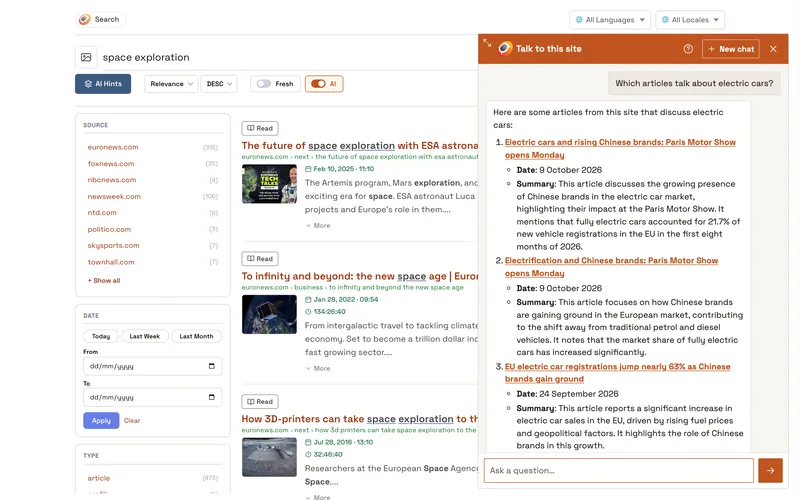
The Opensolr assistant is a chatbot for your visitors, Ask this site. They ask in their own words and it answers from your content: for every question it searches your Opensolr Index itself, by meaning or by the exact product names and codes, and shows what it is looking for while it works. The answer, written as it comes, links to the pages, products and exact PDF pages it used, with their prices. What it must not guess, like today's exchange rate or the time in Tokyo, it looks up.
Try it live on our demo site (it asks for a one-time human check on your first visit):
- drupal.opensolr.com: click a question under Ask this site, a command in Talk to this site, or open the chat at the bottom right
- The admin side: log in as
demowith passwordopensolr-demoand open the Assistant tab. Every setting is there to look at; nothing you change is saved.
What your visitors get
Answers from your content
The assistant recommends and describes your own pages, products and documents, with their real names, and links each one. A PDF links to the exact page.
Written as it comes
The answer appears word by word, in the language of the question, so nobody stares at an empty window.
Facts it never guesses
Today's date, the local time anywhere, exchange rates, VAT rates and VAT numbers, distances, postal codes, places and coordinates with a map link, and where an IP address is are looked up, never made up.
A chat window built for people
A New chat button, links that open in a new tab, Arrow Up to bring back earlier messages, a window they can resize from its top corner, and one question at a time.
Commands
A message that starts with a command is answered at once, without waiting for the assistant. Typing / at the start of a message lists the commands as you type: the arrows choose, Enter or Tab picks one. The ? button in the chat explains them all, with an example to click. A command sent without what to look up answers with how to write it.
/search <words>Searches this site and lists the pages, products and PDF pages that match, each with its link.
Example:/search robotic lawn mower/time <place, coordinates or IP address>The local date and time right now at a place, at coordinates or where an IP address is. Without anything after it: your own local time.
Example:/time Tokyo/rate <amount> <currency> to <currency>Today's exchange rate between currencies (three-letter codes), and the amount converted. Add a date as YYYY-MM-DD for a past day.
Example:/rate 100 EUR to RON/vat <country codes>The standard and the reduced VAT rates of one or more European countries or the United Kingdom (two-letter codes, separated by commas).
Example:/vat RO, DE/vatcheck <VAT number>Checks whether an EU or UK VAT number is valid, and gives the company name and address it is registered to.
Example:/vatcheck IE6388047V/distance <place> to <place>The straight-line distance between two places, addresses or coordinates, in kilometres and miles.
Example:/distance Paris to Berlin/place <place, address or coordinates>Finds a place or a street address and gives its coordinates, region and country; give coordinates (latitude,longitude) to learn what is there. Each answer has a map link.
Example:/place Santa Clara, California, USA/postal <postal code or town>Finds postal codes and the street addresses that have them: a code, a code and a town, or a town and a country.
Example:/postal 10115 Berlin/ip <IP address>Where an IP address is: country, region, city, time zone and a map link. Without anything after it: your own approximate location.
Example:/ip 8.8.8.8/language <text>Detects the language of a text and measures its sentiment (positive, negative or neutral; the sentiment is measured on English text).
Example:/language Acest produs este excelent/translate <from>-<to> <text>Translates a text into another language, written as it comes. See below.
Example:/translate en-es What is this?/helpThe list of commands, in the chat.
Example:/help
Translate with /translate
Write the two languages as codes joined by a hyphen, from-to: /translate en-es What is this? translates from English into Spanish. Or write only the language to translate into, /translate es What is this?, and the language of the text is recognized. Texts of up to 10,000 characters are translated by default; you can change that on the Assistant tab. The codes are in the chat: ?, then Table of language codes under /translate, with a search box.
Set it up
- Enable Opensolr AI Search. Run
composer require drupal/ai, then enable Opensolr AI Search, which comes with Opensolr Search (drush en opensolr_search_ai). Your content is already in your Opensolr Index through Data Ingestion or the Data Crawler. - Enable AI Chatbot. It is part of the Drupal AI module:
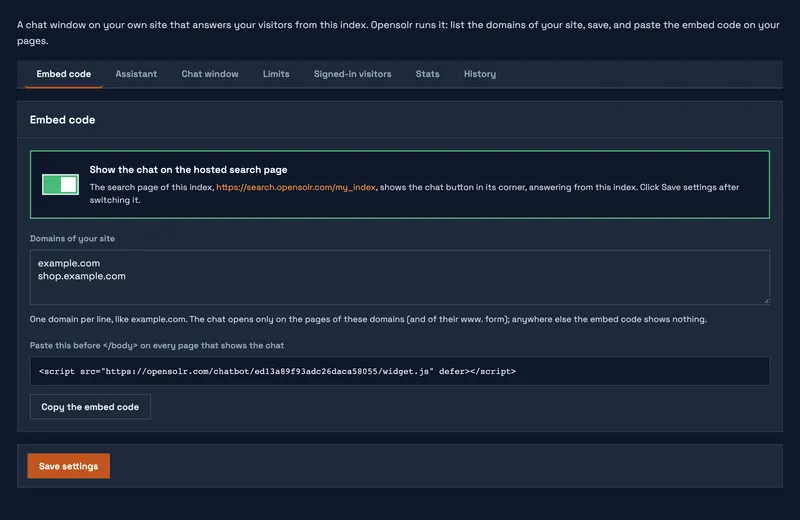
drush en ai_chatbot. - Click Set up the assistant. In Configuration → Search and metadata → Opensolr Search, open the Assistant tab. Leave Visitors can chat ticked for anonymous and signed-in visitors.
- Talk to your site. The Ask this site chatbot is at the bottom right of every page. Its title, first message and look are yours to change in the block settings.
Instructions and limits
Everything the assistant is told and every limit is on the Assistant tab, under Instructions and limits:
- Instructions: optional, your own words for the assistant. They are added to its built-in rules (it always answers from your content, links what it uses and looks up facts); use them to set its tone or what it may talk about.
- Characters per message: 1,000 by default.
- Characters of a text to translate: 10,000 by default.
- Questions per conversation: 20 by default, then the visitor is asked to start a new chat. Commands do not count.
- Questions per visitor: 30 in 3,600 seconds by default.
Answers may link to your own site and to Google Maps for places; links to any other site are removed.
What it costs
The assistant uses the AI requests of your Opensolr plan, and an answer read from a cache costs nothing:
- A question: about 3 AI requests; a follow-up question about 4.
- Commands: free, except
/searchand/translate(1 each), and/languageon very short texts (1).
How many AI requests your plan has, and how many are used, is explained in API Quota.
For developers
Opensolr AI Search also gives the Drupal AI module two things any AI agent or chatbot of your site can use:
- A chat model: the Opensolr provider answers chats, streamed or not, and calls tools.
- Twelve Opensolr tools, in the Opensolr group: search this site (passages with their links, PDF results to the exact page), local time, exchange rates, VAT rates, VAT number check, distance between places, postal codes, find a place or coordinates, where an IP address is, language and sentiment of a text, describe a picture of the site, read a document of the site.
What it needs
- Opensolr Search 5.4.0 or newer (the assistant came in 5.3.0, the commands in 5.4.0), with the Drupal AI module and its AI Chatbot module
- An Opensolr Index with vector search, on a plan with AI features (see AI Features)
- Your content sent with Data Ingestion or the Data Crawler: the assistant answers from what an anonymous visitor may see, and only that
Questions
- Does it make things up?
- It is told to answer from what your site's search found for the question and to link what it uses. Numbers like rates, times and distances come from lookups made for that question. When your site has nothing on a question, it is told to say so.
- Which languages does it speak?
- It answers in the language of the question, and your content is searched in every language your site has.
- Can it talk about other websites?
- No. It answers from your Opensolr Index, and only links to your own site (and to maps for places) get through.
- Can I keep it for signed-in users only?
- Yes. Untick Visitors can chat on the Assistant tab and give the access deepchat api permission to the roles you choose.
The assistant searches your Opensolr Index for every question, so it knows what your site holds right now. With real-time sync in Data Ingestion, a page you publish can be asked about moments later, and a page you unpublish is gone from its answers.